Office of the CIO
The Office of the Chief Information Officer (OCIO) exists to provide vision and strategy for the University’s information technology to advance its academic and research mission.
Madhavi Marasinghe assumed the position of Chief Information Officer at the University of North Dakota in February 2017. Under the leadership of the CIO, the Office of the CIO provides oversight to the newly formed University Information Technology (UIT) unit, while providing the vision and guidance to support technology across the university. As the UND’s CIO, she is responsible for networking, telecommunications, systems administration, communication and collaboration services, classroom technologies, information security, project management, and user support.
Madhavi Marasinghe, CIO
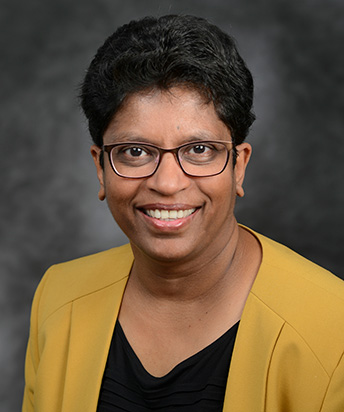
Madhavi Marasinghe
While at UND, Madhavi has worked to improve strategic planning, and collaboration, while building IT service management and project management best practices across the organization. She has overseen major upgrades to the network, both wired and wireless, research infrastructure, classroom technologies, expanded the security footprint, and standardized technologies at UND.
With over 20 years of experience in higher education, her experience includes strategic planning, successfully leading multiple large IT initiatives, system integration, and consolidation, and collaborating with various entities to find the most cost-effective solutions for technology needs.
She earned a Bachelor of Science in management (information) systems from Missouri University of Science and Technology (MS&T) and a Master of Science in (higher) education leadership from UND