Blackboard Organizations
Request an Organization | Locate Organizations | Organization Roles
Organizations function like courses, but they are designed for specific groups rather than enrolled classes. Like courses, they provide shared spaces for communication and collaboration outside of individual courses, with tools that allow members to exchange information, participate in discussions, and share files in one centralized location. Organizations are commonly used to support activities that span multiple courses or semesters, such as department communications, study groups, and extracurricular activities.
Request an Organization
If you would like to use an organization site, please submit a request using the Blackboard request form. This form can be used to request a new organization site, add users to a new organization, and add or remove users from an existing organization.
Note: Requests are usually processed within 2 business days.
Locate Organizations
Use the Organizations page to access past, current, and future organizations. If you are enrolled in multiple organizations, locating a specific site may take time. To simplify navigation, utilize the following built-in features:
- Change your page view: Switch between list and grid views
- Filter or sort organizations: Use filters to narrow results by specific criteria
- Search for organizations: Quickly locate organizations on the current page
- Browse by term: Sort organizations by past, current, or upcoming terms, and adjust how many appear per page
- Mark organizations as favorites: Pin frequently used organizations to the top of your list
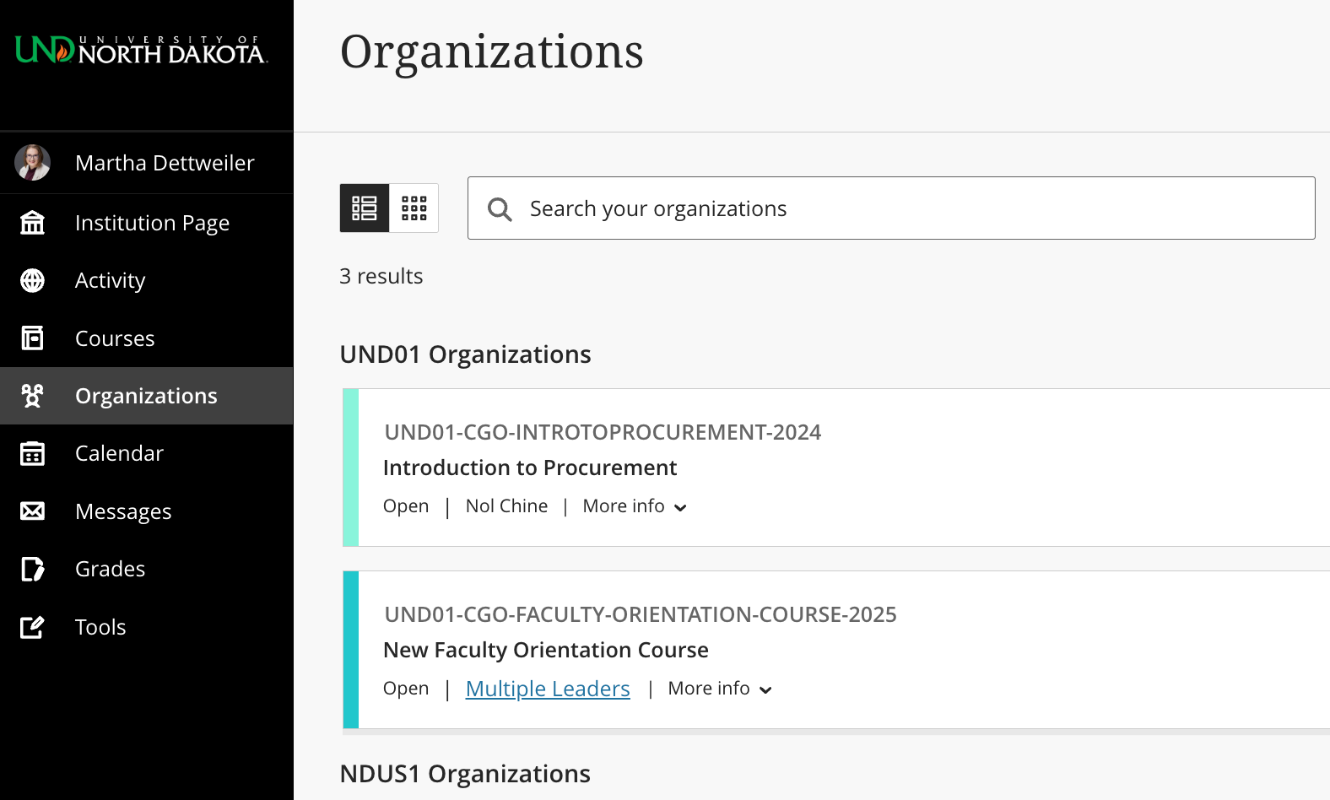
Locate the Organizations page from the menu where your name appears.
Organization Roles
Organization roles control access to the content and tools within an organization. Each user is assigned a role for every organization they participate in, and roles may vary between organizations. For example, a user with an Assistant role in one organization can have a Participant role in another organization.
-
Leader: Role provides access to all areas of the organization including the control panel for posting content, making users available/unavailable, posting grades, and making the organization available/unavailable. This role is generally assigned to the person developing, teaching, or facilitating the organization site.
-
Organization Leader with Enroll: Role provide all the same access as the Leader role with the added ability to add and remove users to the organization.
-
Assistant: Role provides access to everything included with the Leader role, except changing a user's availability.
-
Organization Builder: Role has access to most areas of an organization. This role is appropriate for an Assistant who shouldn't have access to grades. If the organization is unavailable to Participants, an Organization Builder can still access the organization.
-
Grader: Role has limited access to the course. Graders can assist a Leader in the creation, management, delivery, and grading of assessments and surveys. The Grader may also assist a Leader with adding manual entries. If a course is unavailable to Participants, the course appears in the organization list for a user with the role of Grader.
-
Participant: This is the default organization user role. A user with the role of Participant can submit coursework and participate in discussions. Participants can't create or grade course items.
-
Guest: Currently not available in Blackboard Ultra. Role provides limited access to specific areas of an organization designated by the Leader. Guests are unable to view student interactions, submit coursework, or participate in discussions.
IMPORTANT: For additional support managing your organization site, see the Blackboard Ultra help pages. Organizations share the same features and functionality as Blackboard courses.