Color Contrast
Use color contrast to make content easier for everyone to read and understand.
Color contrast is the difference in brightness between colors in the foreground and background. Most people prefer good color contrast because it reduces eye strain and improves readability. If you have ever sat through a presentation with poor contrast or watched a video with difficult-to-read subtitles, you know how frustrating it can be when information is difficult to understand. Poor contrast particularly impacts individuals with low vision and/or color blindness.
When using color, it is important to consider the contrast between text and its background; text and images; and elements that convey meaning in charts, graphs, and tables.
Color Contrast Guidelines
WCAG 2.1 AA provides specific contrast ratio requirements to help ensure content remains readable and accessible.
- Normal-sized text should have a contrast ratio of at least 4.5:1. Normal text consists of text smaller than 18 pt. and not bolded.
- Large text should have a contrast ratio of at least 3:1. Large text consists of text that is at least 18 pt. or 14 pt. bold.
- Non-text elements (e.g., chart bars, lines, borders, or shapes) should have a contrast ratio of at least 3:1 against adjacent colors.
- Text included in logos does not have a contrast requirement.
Use a dedicated color contrast checking tool to check color contrast in your files and webpages.
Tools for Checking Color Contrast
Color Contrast Examples
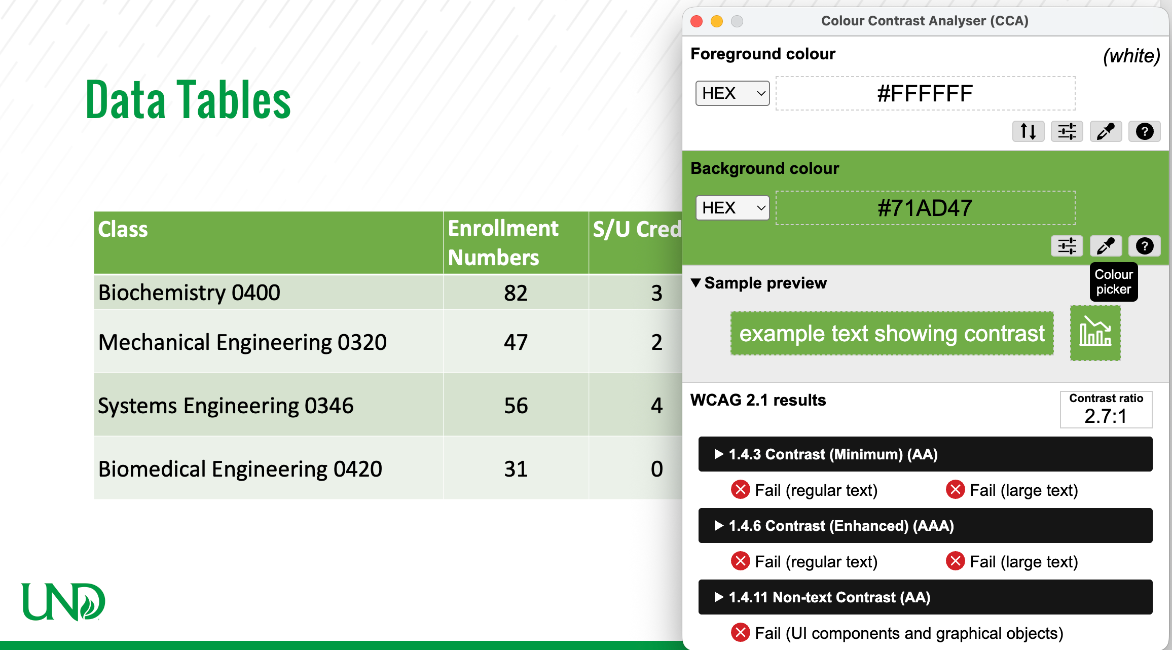
White text on this shade of green does not meet color contrast standards for either regular-sized or large-sized text.
Accessible Example
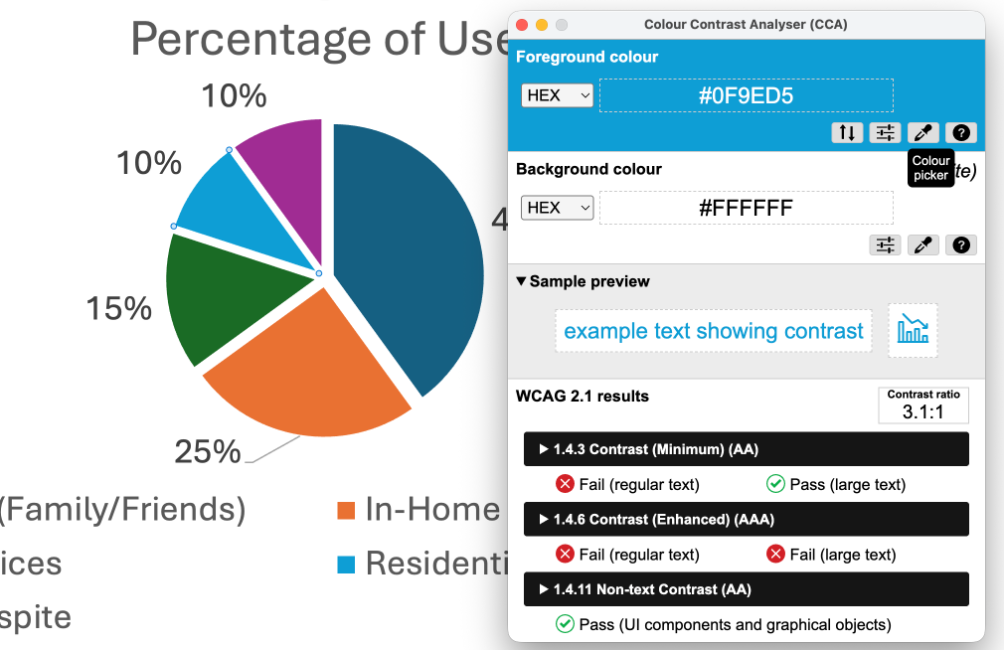
Chart elements do meet color contrast standards. The added spacing between the pie wedges allows contrast to be measured against the background rather than adjacent wedges.
Inaccessible Example
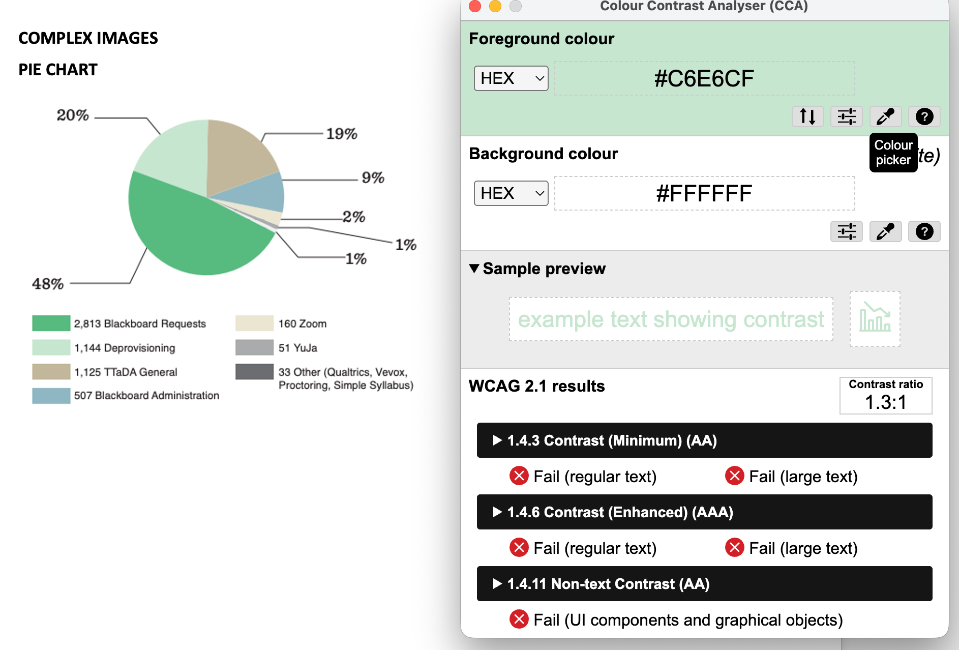
Chart elements do not meet color contrast standards. The pie wedges are too light against the background.
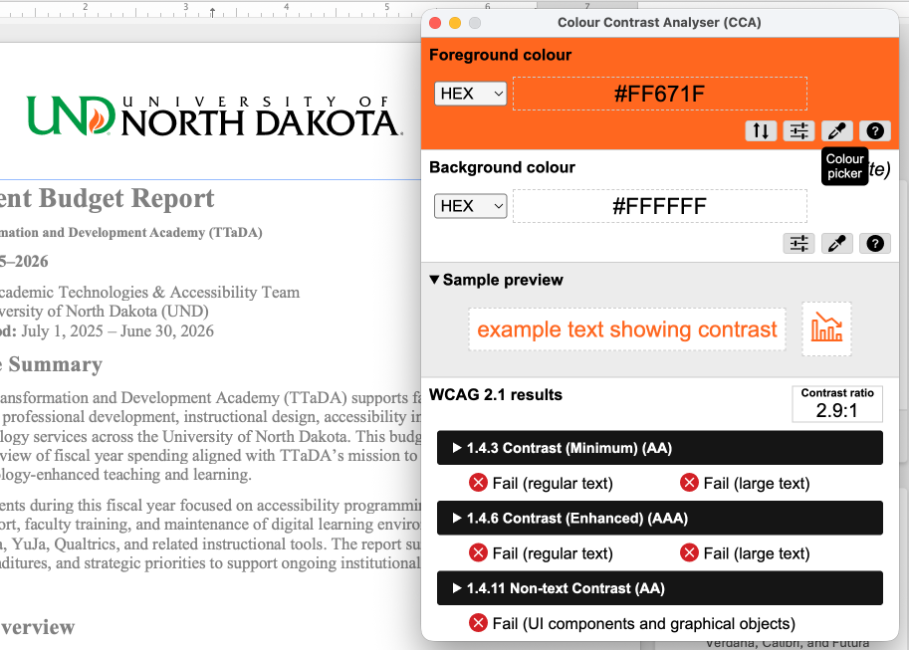
The UND logo demonstrates color contrast exceptions. The orange flame does not meet the 3:1 contrast ratio for non-text elements, and the green UND text may not meet contrast requirements depending on text size. However, WCAG color contrast guidelines do not apply to logos.
Best Practices for Effective Use of Color
- Choose high-contrast color schemes. Warm and cool colors make for the best color contrast.
- Black text on a white background generally provides strong readability and color contrast.
- Avoid white text on a black background when possible, as it can create a visual fuzzing effect known as halation for people wearing corrective lenses.
- Avoid green-red and yellow-blue color combinations, as these combinations may be difficult for individuals with color blindness.
- Don’t rely on color as the sole means of conveying information. Color should not be the only method used to indicate emphasis, heading levels, status, or links.
- Place text against solid backgrounds. Patterned, photographic, or gradient backgrounds can make text difficult to read.
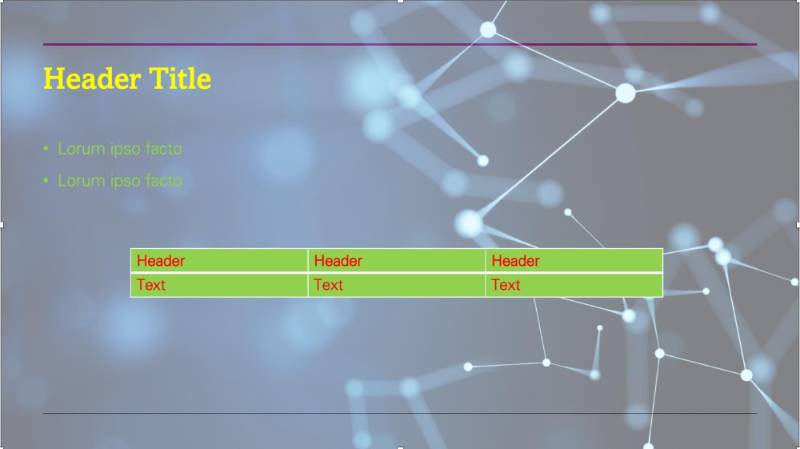
This slide does not meet color contrast standards. The patterned background reduces readability, and both the text and table elements have insufficient color contrast.
Color to Convey Meaning
Color is not sufficient on its own to convey meaning. Information conveyed by color must include a text alternative so it can be understood by all users. Users who are color blind, have low vision, or rely on screen readers may not perceive color differences and may miss important details. Additionally, screen readers cannot interpret color, so any meaning conveyed through color must also be presented in text. This applies to font color, highlighted text, labels, patterns, and other visual indicators.
For more examples of how to edit content so it does not rely on color alone to convey meaning, visit the following Knowledge Base articles:
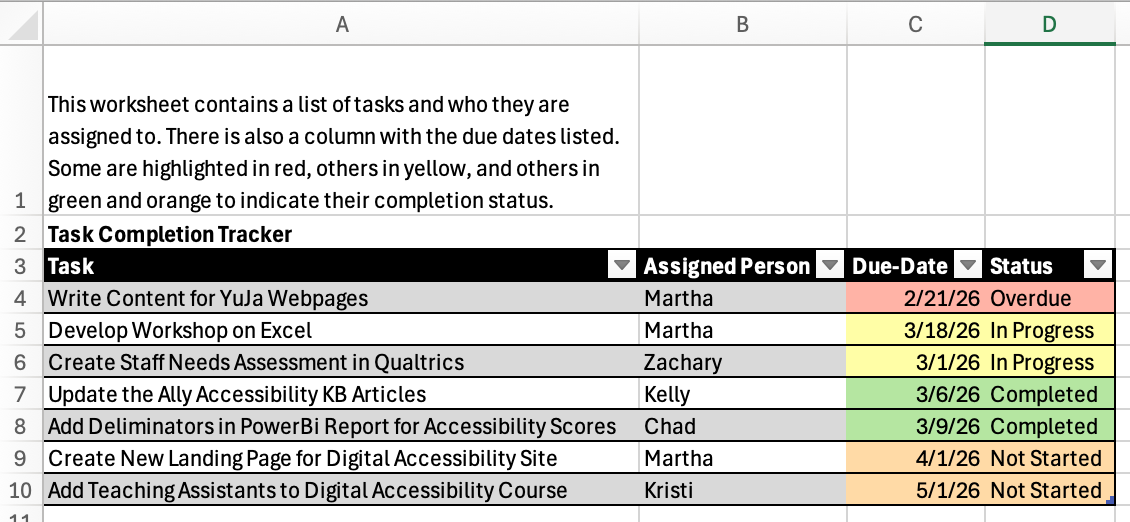
This table includes a separate status column to identify completion status in text rather than relying on color alone. Without the status column, screen reader users may not be able to determine completion status from color differences in the due-date column.