Transcripts
Provide a written alternative for audio and video files.
Transcripts provide an accurate written version of spoken audio content from either video or audio files. Unlike captions, transcripts are not synchronized with media. Instead, transcripts are typically provided as a separate text document or displayed alongside the media content.
Transcripts are commonly formatted as downloadable documents, most often in Microsoft Word or PDF format.
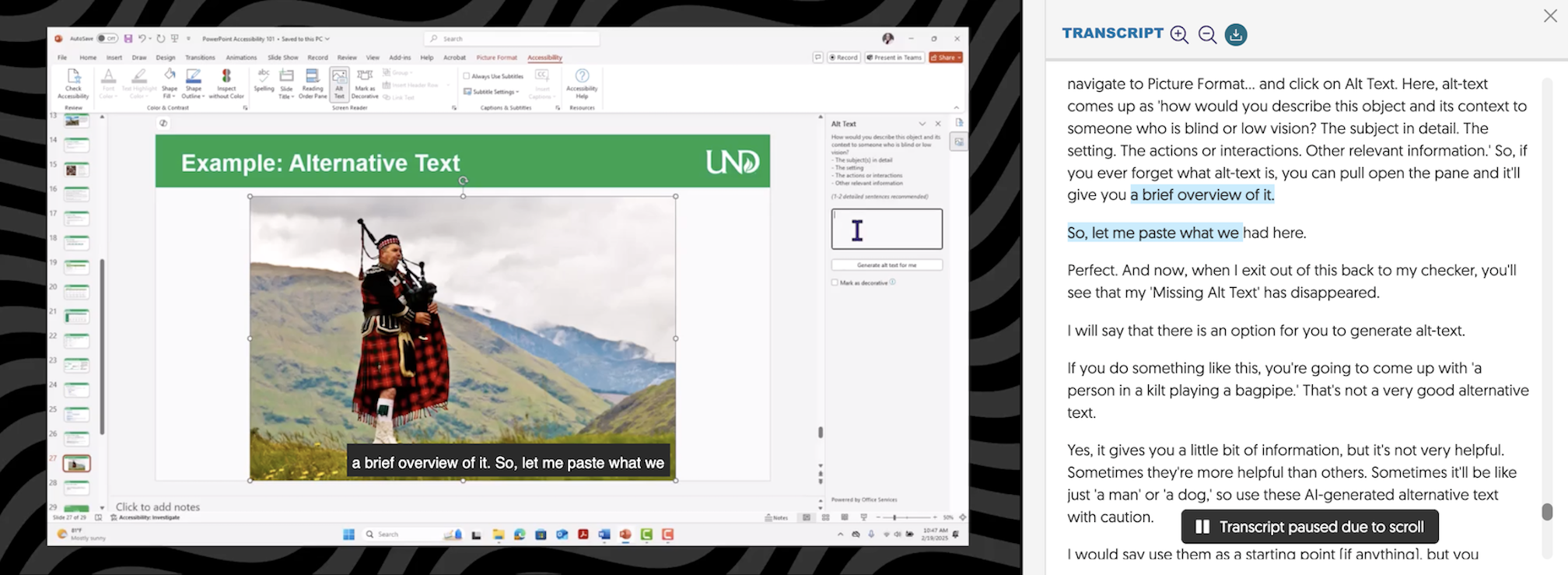
Interactive transcript displayed in YuJa’s media player. YuJa automatically generates transcripts from video captions, allowing users to search, review, and navigate to specific points within the video content.
Difference Between Audio and Video Transcripts
Audio Transcripts
A transcript is the primary method of providing a text alternative for audio-only content. Transcripts for audio files may either be provided as a downloadable document or displayed directly alongside the audio player.
When audio files are embedded in another document, such as a PowerPoint presentation, a separate transcript is still required to ensure users can access the spoken content in text format.
Video Transcripts
Video transcripts differ from captions in that the text is not displayed in synchronization with the video. Instead, transcripts are typically viewed separately from the video. Because of this separation, transcripts should include logical formatting, such as headings and clearly defined sections, to help users navigate and understand the content independently of the video.
To provide an equitable viewing experience, synchronized captions are still required for videos. On their own, transcripts are not usually sufficient. However, there are situations where transcripts may also be preferred or required. Whenever possible, having both available is recommended.
Who Benefits from Transcripts?
Transcripts can benefit deaf or hard-of-hearing users, but they can also support many additional learning needs. Transcripts can assist users with:
- Locating a specific point in a video
- Note-taking
- Learning new vocabulary
- Learning a new language
- Focusing
- Reviewing
- Searching for terms or phrases
Guidelines for Effective Transcripts
Consider the following best practices when creating transcripts for audio and video content:
- Describe meaningful visual or environmental context (the scene).
- Include relevant non-speech sounds (e.g., laughter, applause, or background noise) whenever they contribute to understanding the material.
- Determine whether a verbatim or edited transcript is most appropriate.
- Verbatim Transcript: includes all spoken content and sounds exactly as presented, including pauses, filler words, stutters, and vocalizations such as “hmmm” or “erm.”
- Edited Transcript: a cleaned-up version prioritizing grammar and punctuation, while maintaining the original meaning and context of the content.
- Include speaker labels or names to distinguish between multiple speakers. This organizes the transcript, making it easier to follow.
- Organize transcripts into clearly defined sections and topics to improve readability and navigation.
- Review completed transcripts for accuracy and correct any transcription errors.
- Link or associate the transcript with its accompanying audio or video file.
Automatically Generated Transcripts
Automatically generated transcripts rely on speech recognition software. The accuracy of transcription may vary based on several factors: video software, audio quality, speaker dialect, and content complexity. To ensure accuracy, some post-editing may be required.